


Fluke TruTest Software License Code - Advanced
- The ability to put TruTest on 1 workstation
- The ability to add an unlimited number of users to that TruTest workstation
Key features
- Easily manage measurement data, including from solar site installation and commissioning testing through an intuitive and modern interface
- Quickly create test certificates and reports
- Free updates for 5 years after installation
- Easy data collection and database transfers
Product overview: Fluke TruTest™ Data Management and Reporting Software
Download your free demo software, or get the latest software version by visiting the TruTest Software Download page.
The easy-to-use data management solution
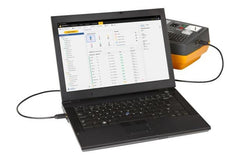
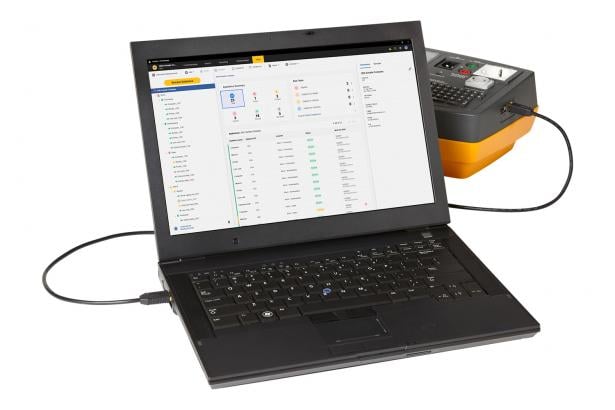
Fluke TruTest Software is designed to eliminate the hassle associated with traditional electrical system data management and reporting. Whether you are testing fixed wire installations, or appliances in an office, verifying repairs in a workshop, or performing annual inspections proper data management is critical for producing easy-to-understand reports for clients. Compatible with a growing list of Fluke and Beha-Amprobe test and measurement devices TruTest Software allows you to quickly and easily import measurement results directly from your test instruments, manage files transferred from instruments, or manually enter data as needed.
With a streamlined user interface and intuitive workflow, measurement data can be easily formatted into printable test certificates and reports complete with your company logo and electronic signature.
Streamlined data management
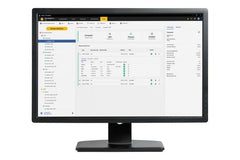
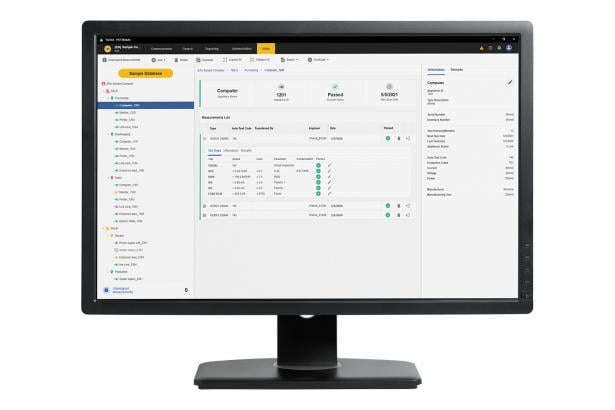
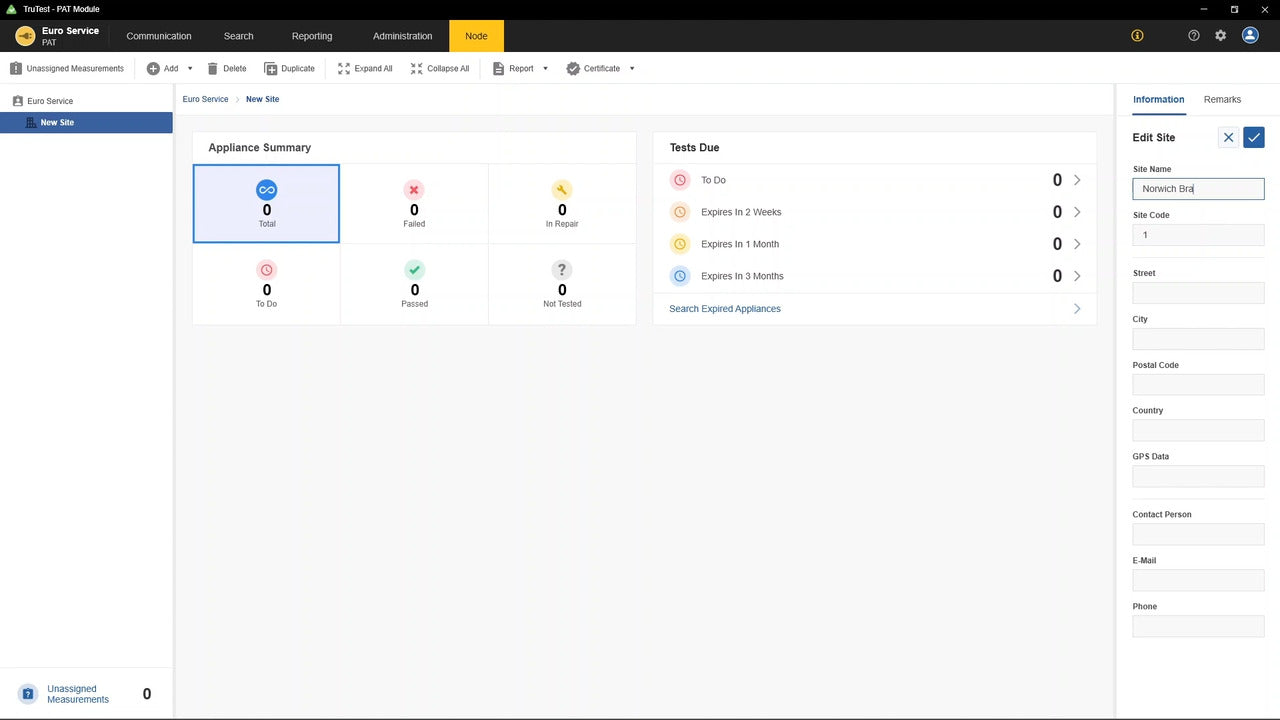
Manage test results, client and site data with ease, and create reports quickly using the intuitive user interface and custom-report builder.
Create custom auto-tests
Choose from pre-defined automatic test codes, or create your own to ensure technicians gather the right data at the right site.
Dashboard interface
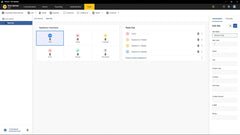
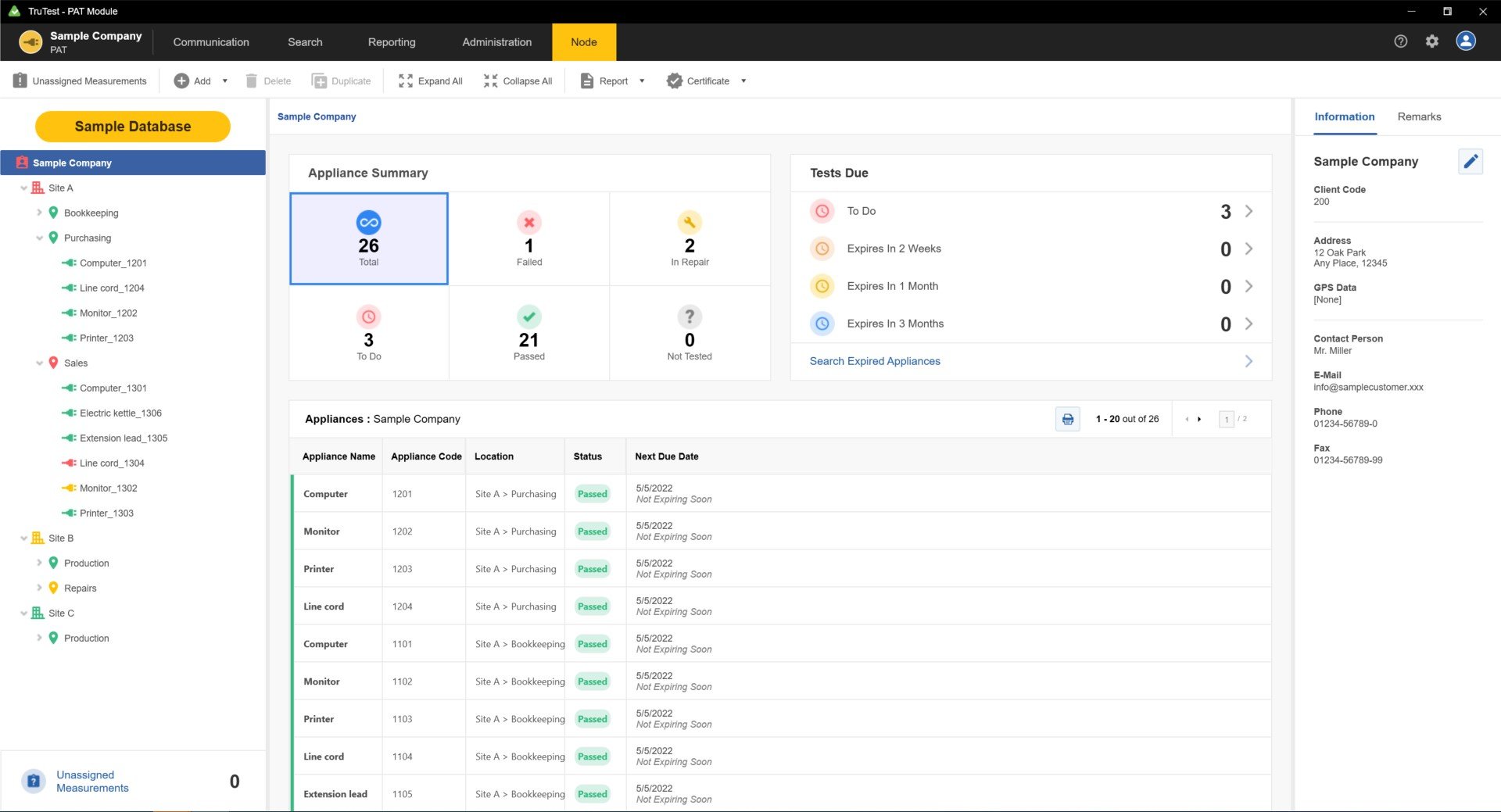
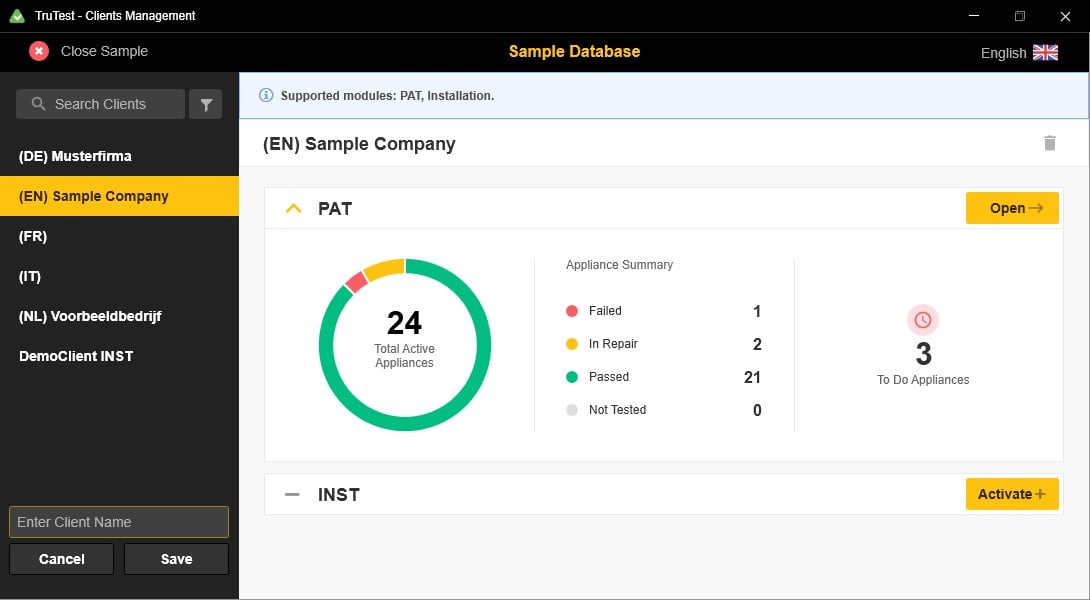
Live on-screen intuitive dashboard interface allows the user to see the status of all their clients instantly and navigate to further levels of detail if desired.
Compatibility
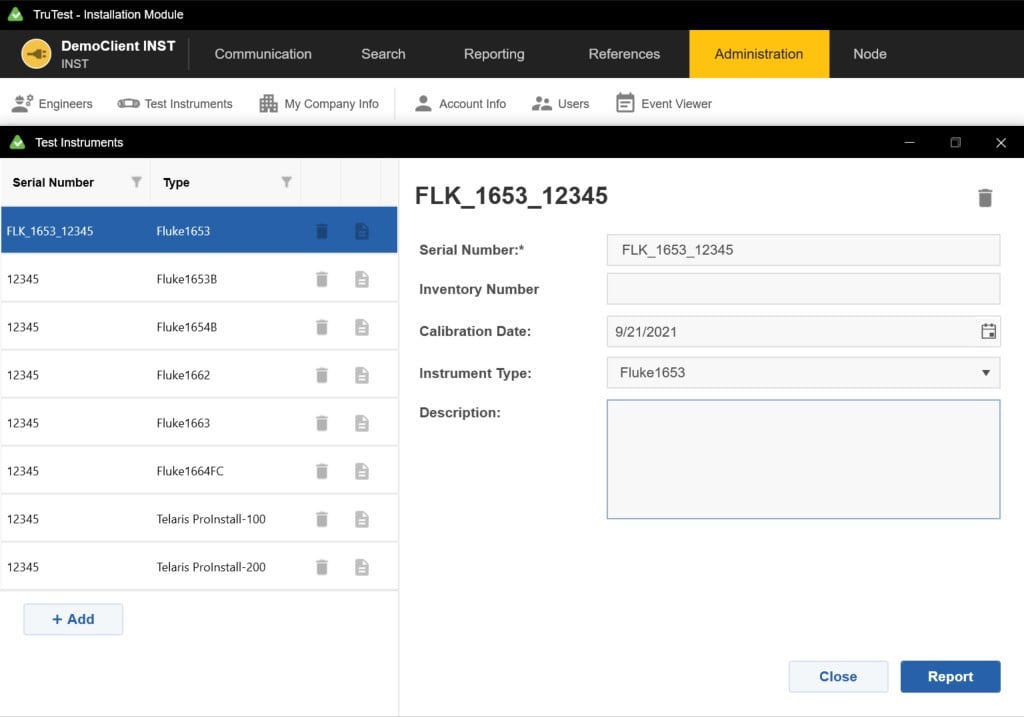
TruTest™ is compatible with a growing list of Fluke and Beha-Amprobe test instruments including the following:
Portable Appliance Testers
- Fluke 6500
- Fluke 6500-2
- Beha-Amprobe GT-600
- Beha-Amprobe GT-650
- Beha-Amprobe GT-800
- Beha-Amprobe GT-900
Installation Testers
- Fluke 1653
- Fluke 1653B
- Fluke 1654B
- Fluke 1662
- Fluke 1663
- Fluke 1664 FC
- Beha-Amprobe ProInstall-100
- Beha-Amprobe ProInstall-200
Databases from the Fluke DMS Software or Beha-Amprobe ES Control software can also be converted and transferred to the TruTest Software platform*. Microsoft Access Runtime 2016 is required for the DMS/EsControl database conversion.
Comprehensive reporting
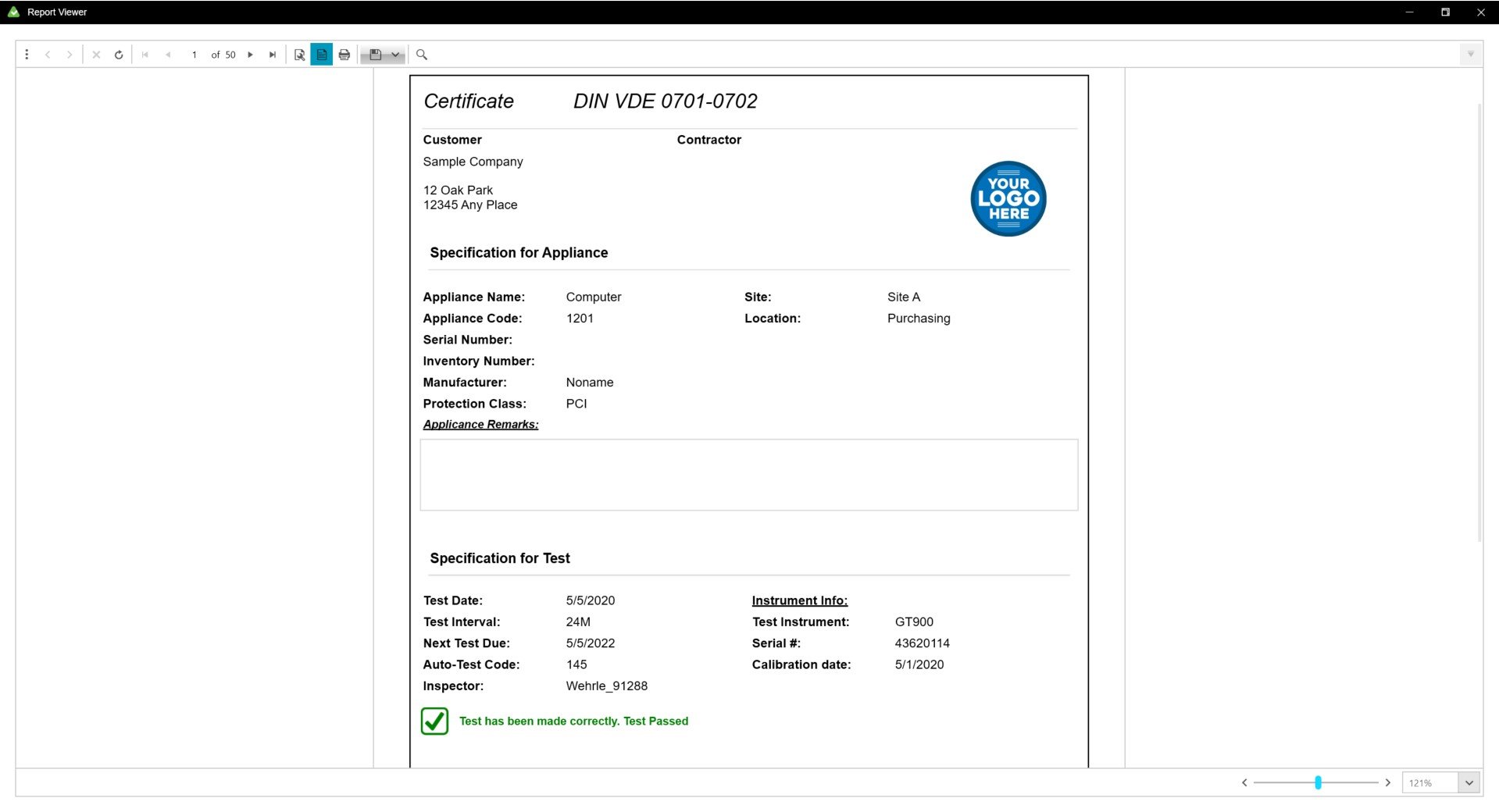
Fluke TruTest Software simplifies the reporting process so you can produce easy-to-understand test certificates and reports as quickly as possible, saving you time and money. A growing list of regional reports including DIN VDE 0701-0702, ÖVE/ÖNORM E 8701, SNR 462638, and NEN3140. All of these reports are available at the touch of a button, and a pre-configured international template ensures that no matter your location TruTest Software has you covered.
Tree topology
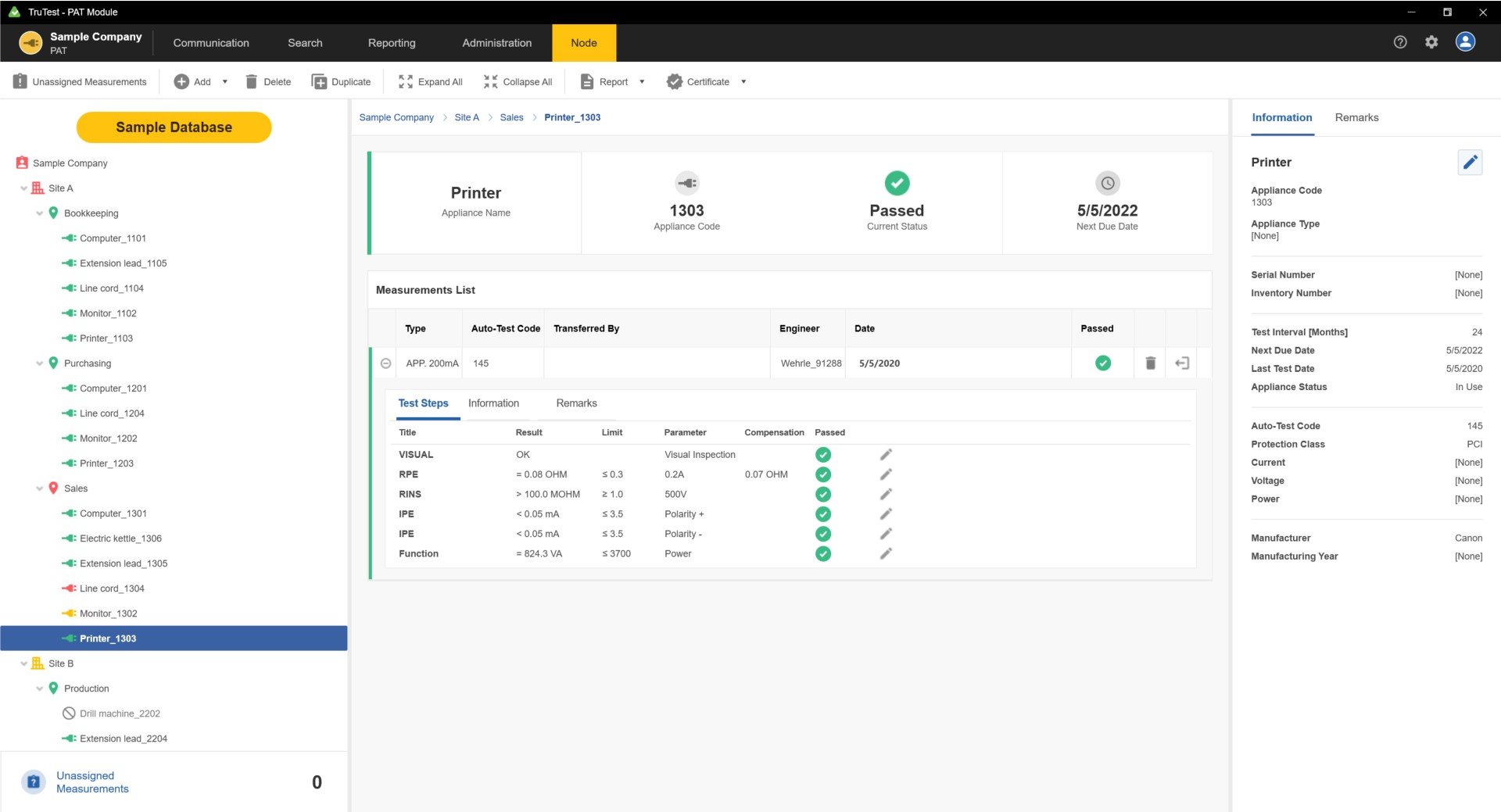
Hierarchical tree topology is used to represent clients, sites, locations and appliances, making it ideal for use in larger networks while allowing you to maintain testing and reporting flexibility. Each element is presented as a single tree node and the properties of each node are presented after selection. Tree topology can be maintained by adding nodes, deleting nodes, duplicating nodes, duplicating subtrees and node editing.
Specifications: Fluke TruTest™ Data Management and Reporting Software
| Function | Demo | Lite | Advanced |
| Database structure (Local standalone or server based) | Local | Local | Local |
| Portable Appliance Tester (PAT) module | • | • | • |
| Portable Appliance Testers supported | Fluke 6500, Fluke 6500-2, Beha-Amprobe GT-600, Beha-Amprobe GT-650, Beha-Amprobe GT-800, Beha-Amprobe GT-900 | ||
| Maximum addable clients | 1 | 2 | Unlimited |
| Maximum addable sites/client | 2 | 5 | Unlimited |
| Maximum addable locations/client | 5 | 50 | Unlimited |
| Maximum addable appliances/client | 20 | 1000 | Unlimited |
| Solar Multifunction Tester module | • | • | • |
| Solar multifunction tester supported | Fluke SMFT-1000 | ||
| Maximum addable clients | 1 | 10 | Unlimited |
| Maximum addable site/client | 2 | 5 | Unlimited |
| Maximum addable strings | 5 | 50 | Unlimited |
| Maximum addable modules (per string) | 50 | 50 | Unlimited |
| Installation Testers (INST) module | • | • | • |
| Installation Testers supported | Fluke 1653, Fluke 1653B, Fluke 1654B, Fluke 1662, Fluke 1663, Fluke 1664 FC, Beha-Amprobe ProInstall-100, Beha-Amprobe ProInstall-200 | ||
| Maximum addable clients | 1 | 2 | Unlimited |
| Maximum addable sites/client | 2 | 5 | Unlimited |
| Maximum addable locations/client | 5 | 25 | Unlimited |
| Maximum addable appliances/client | 50 | 200 | Unlimited |
| Include demo database | • | • | • |
| Create clients | • | • | • |
| Rename clients | • | • | |
| Delete clients | • | • | • |
| Create nodes | • | • | • |
| Move nodes | • | • | • |
| Rename nodes | • | • | |
| Delete nodes | • | • | • |
| Edit client information | • | • | |
| Edit site information | • | • | |
| Edit location information | • | • | |
| Edit appliance information | • | • | |
| Edit test information | • | • | |
| Edit distribution board information | • | • | |
| Edit circuit information | • | • | |
| Edit inverter information | • | • | |
| Edit combiner box information | • | • | |
| Edit string information | • | • | |
| Edit module information | • | • | |
| Add test step | • | • | |
| Delete test step | • | • | |
| Edit test step | • | • | |
| Add remarks | • | • | |
| Add attachment (file) to remark | • | ||
| Edit remark | • | • | |
| Delete remark | • | • | |
| Read data from instrument | • | • | • |
| Read data from file | • | • | • |
| Read data conflict management | • | • | • |
| Read data assign tree structure | • | • | • |
| Load data to instrument | *Compatible tool required | ||
| Use search | • | • | • |
| Show reports | With watermark | • | • |
| Show certificates | With watermark | • | • |
| Save (PDF, XML,…) /Print reports | • | • | |
| Save (PDF, XML,…)/Print certificates | • | • | |
| Add engineers | Demo engineer | • | • |
| Edit engineers | • | • | |
| Delete engineers | • | • | |
| Print engineers | • | • | |
| Add test instruments | Demo instrument | • | • |
| Edit test instruments | • | • | |
| Delete test instruments | • | • | |
| Print test instruments | • | • | |
| Edit my company info | Demo company | • | • |
| Edit company logo | Demo logo | • | |
| Edit certification logo | Demo logo | • | |
| View Auto Test Codes | • | • | • |
| Select favorites Auto Test Codes | • | • | |
| Print favorites Auto Test Codes | • | • | |
| Print All Auto Test Codes | • | • | |
| Create customized Auto Test Codes | • | ||
| Edit customized Auto Test Codes | • | ||
| Copy customized Auto Test Codes | • | ||
| Delete customized Auto Test Codes | • | ||
| Print Customized Auto Test Codes | • | ||
| Create backup | • | • | |
| Restore backup | • | • | |
| Maximum users | 1 Demo user | 2 | Unlimited |
| Add users | • | • | |
| Edit users | • | • | |
| User roles | • | • | |
| Edit user roles | • | • | |
| Print users list | • | • | |
| Edit limits | • | • | |
| Available languages | DE, EN, ES, FI, FR, IT, NL, PL, TR | ||
| Supported Installation certificates | DIN VDE 0701-0702, ÖVE/ÖNORM E 8701, SNR 462638, NEN3140, International template | ||
| Change language | • | • | • |
| Change country | • | • | • |
| Change report language | • | ||
| Expire duration | 60 days (calculated from installation date) | Unlimited | |
| Free updates | 5 years (calculated from enter serial code date) | ||
| Expiration popup notice | Daily | Every 30 days after 5 year free update period | |
| Activation date with days left until expiration | • | • | • |
System requirements
| Type | Requirement |
| Operating System |
|
| System Memory | Minimum 4 GB RAM (64-bit) or 2 GB RAM (32-bit) |
| Hard disk space | Minimum 2 GB available hard disk space |
| Display resolution | Minimum screen resolution 1366 x 768 |
| Communication interfaces | USB |
| Shipping | This Item Ships from Fremantle, Perth, Western Australia |
Please allow 2 - 10 days for your order to arrive.
Although Most Stocked Products will generally Ship Overnight. We source products from all over the world to bring you epic offers and the lowest prices. This means sometimes you have to wait a little longer to get your order but it's always worth it!
Returns are easy.
simply contact us for a returns number and send your item to our returns centre for fast processing. We'll get you a replacement or refund in a snap!
Description
Fluke TruTest Software License Code - Advanced
- The ability to put TruTest on 1 workstation
- The ability to add an unlimited number of users to that TruTest workstation
Key features
- Easily manage measurement data, including from solar site installation and commissioning testing through an intuitive and modern interface
- Quickly create test certificates and reports
- Free updates for 5 years after installation
- Easy data collection and database transfers
Product overview: Fluke TruTest™ Data Management and Reporting Software
Download your free demo software, or get the latest software version by visiting the TruTest Software Download page.
The easy-to-use data management solution
Fluke TruTest Software is designed to eliminate the hassle associated with traditional electrical system data management and reporting. Whether you are testing fixed wire installations, or appliances in an office, verifying repairs in a workshop, or performing annual inspections proper data management is critical for producing easy-to-understand reports for clients. Compatible with a growing list of Fluke and Beha-Amprobe test and measurement devices TruTest Software allows you to quickly and easily import measurement results directly from your test instruments, manage files transferred from instruments, or manually enter data as needed.
With a streamlined user interface and intuitive workflow, measurement data can be easily formatted into printable test certificates and reports complete with your company logo and electronic signature.
Streamlined data management
Manage test results, client and site data with ease, and create reports quickly using the intuitive user interface and custom-report builder.
Create custom auto-tests
Choose from pre-defined automatic test codes, or create your own to ensure technicians gather the right data at the right site.
Dashboard interface
Live on-screen intuitive dashboard interface allows the user to see the status of all their clients instantly and navigate to further levels of detail if desired.
Compatibility
TruTest™ is compatible with a growing list of Fluke and Beha-Amprobe test instruments including the following:
Portable Appliance Testers
- Fluke 6500
- Fluke 6500-2
- Beha-Amprobe GT-600
- Beha-Amprobe GT-650
- Beha-Amprobe GT-800
- Beha-Amprobe GT-900
Installation Testers
- Fluke 1653
- Fluke 1653B
- Fluke 1654B
- Fluke 1662
- Fluke 1663
- Fluke 1664 FC
- Beha-Amprobe ProInstall-100
- Beha-Amprobe ProInstall-200
Databases from the Fluke DMS Software or Beha-Amprobe ES Control software can also be converted and transferred to the TruTest Software platform*. Microsoft Access Runtime 2016 is required for the DMS/EsControl database conversion.
Comprehensive reporting
Fluke TruTest Software simplifies the reporting process so you can produce easy-to-understand test certificates and reports as quickly as possible, saving you time and money. A growing list of regional reports including DIN VDE 0701-0702, ÖVE/ÖNORM E 8701, SNR 462638, and NEN3140. All of these reports are available at the touch of a button, and a pre-configured international template ensures that no matter your location TruTest Software has you covered.
Tree topology
Hierarchical tree topology is used to represent clients, sites, locations and appliances, making it ideal for use in larger networks while allowing you to maintain testing and reporting flexibility. Each element is presented as a single tree node and the properties of each node are presented after selection. Tree topology can be maintained by adding nodes, deleting nodes, duplicating nodes, duplicating subtrees and node editing.
Specifications: Fluke TruTest™ Data Management and Reporting Software
| Function | Demo | Lite | Advanced |
| Database structure (Local standalone or server based) | Local | Local | Local |
| Portable Appliance Tester (PAT) module | • | • | • |
| Portable Appliance Testers supported | Fluke 6500, Fluke 6500-2, Beha-Amprobe GT-600, Beha-Amprobe GT-650, Beha-Amprobe GT-800, Beha-Amprobe GT-900 | ||
| Maximum addable clients | 1 | 2 | Unlimited |
| Maximum addable sites/client | 2 | 5 | Unlimited |
| Maximum addable locations/client | 5 | 50 | Unlimited |
| Maximum addable appliances/client | 20 | 1000 | Unlimited |
| Solar Multifunction Tester module | • | • | • |
| Solar multifunction tester supported | Fluke SMFT-1000 | ||
| Maximum addable clients | 1 | 10 | Unlimited |
| Maximum addable site/client | 2 | 5 | Unlimited |
| Maximum addable strings | 5 | 50 | Unlimited |
| Maximum addable modules (per string) | 50 | 50 | Unlimited |
| Installation Testers (INST) module | • | • | • |
| Installation Testers supported | Fluke 1653, Fluke 1653B, Fluke 1654B, Fluke 1662, Fluke 1663, Fluke 1664 FC, Beha-Amprobe ProInstall-100, Beha-Amprobe ProInstall-200 | ||
| Maximum addable clients | 1 | 2 | Unlimited |
| Maximum addable sites/client | 2 | 5 | Unlimited |
| Maximum addable locations/client | 5 | 25 | Unlimited |
| Maximum addable appliances/client | 50 | 200 | Unlimited |
| Include demo database | • | • | • |
| Create clients | • | • | • |
| Rename clients | • | • | |
| Delete clients | • | • | • |
| Create nodes | • | • | • |
| Move nodes | • | • | • |
| Rename nodes | • | • | |
| Delete nodes | • | • | • |
| Edit client information | • | • | |
| Edit site information | • | • | |
| Edit location information | • | • | |
| Edit appliance information | • | • | |
| Edit test information | • | • | |
| Edit distribution board information | • | • | |
| Edit circuit information | • | • | |
| Edit inverter information | • | • | |
| Edit combiner box information | • | • | |
| Edit string information | • | • | |
| Edit module information | • | • | |
| Add test step | • | • | |
| Delete test step | • | • | |
| Edit test step | • | • | |
| Add remarks | • | • | |
| Add attachment (file) to remark | • | ||
| Edit remark | • | • | |
| Delete remark | • | • | |
| Read data from instrument | • | • | • |
| Read data from file | • | • | • |
| Read data conflict management | • | • | • |
| Read data assign tree structure | • | • | • |
| Load data to instrument | *Compatible tool required | ||
| Use search | • | • | • |
| Show reports | With watermark | • | • |
| Show certificates | With watermark | • | • |
| Save (PDF, XML,…) /Print reports | • | • | |
| Save (PDF, XML,…)/Print certificates | • | • | |
| Add engineers | Demo engineer | • | • |
| Edit engineers | • | • | |
| Delete engineers | • | • | |
| Print engineers | • | • | |
| Add test instruments | Demo instrument | • | • |
| Edit test instruments | • | • | |
| Delete test instruments | • | • | |
| Print test instruments | • | • | |
| Edit my company info | Demo company | • | • |
| Edit company logo | Demo logo | • | |
| Edit certification logo | Demo logo | • | |
| View Auto Test Codes | • | • | • |
| Select favorites Auto Test Codes | • | • | |
| Print favorites Auto Test Codes | • | • | |
| Print All Auto Test Codes | • | • | |
| Create customized Auto Test Codes | • | ||
| Edit customized Auto Test Codes | • | ||
| Copy customized Auto Test Codes | • | ||
| Delete customized Auto Test Codes | • | ||
| Print Customized Auto Test Codes | • | ||
| Create backup | • | • | |
| Restore backup | • | • | |
| Maximum users | 1 Demo user | 2 | Unlimited |
| Add users | • | • | |
| Edit users | • | • | |
| User roles | • | • | |
| Edit user roles | • | • | |
| Print users list | • | • | |
| Edit limits | • | • | |
| Available languages | DE, EN, ES, FI, FR, IT, NL, PL, TR | ||
| Supported Installation certificates | DIN VDE 0701-0702, ÖVE/ÖNORM E 8701, SNR 462638, NEN3140, International template | ||
| Change language | • | • | • |
| Change country | • | • | • |
| Change report language | • | ||
| Expire duration | 60 days (calculated from installation date) | Unlimited | |
| Free updates | 5 years (calculated from enter serial code date) | ||
| Expiration popup notice | Daily | Every 30 days after 5 year free update period | |
| Activation date with days left until expiration | • | • | • |
System requirements
| Type | Requirement |
| Operating System |
|
| System Memory | Minimum 4 GB RAM (64-bit) or 2 GB RAM (32-bit) |
| Hard disk space | Minimum 2 GB available hard disk space |
| Display resolution | Minimum screen resolution 1366 x 768 |
| Communication interfaces | USB |
Shipping
| Shipping | This item ships to |
Delivery & Returns
Please allow 2 - 10 days for your order to arrive.
Although Most Stocked Products will generally Ship Overnight. We source products from all over the world to bring you epic offers and the lowest prices. This means sometimes you have to wait a little longer to get your order but it's always worth it!
Returns are easy.
simply contact us for a returns number and send your item to our returns centre for fast processing. We'll get you a replacement or refund in a snap!
6 Great reasons to buy from us:
-

30 Days Return
If your product is faulty or damaged under manufacture warranty, simply send it back to us and we'll cheerfully replace it or fix the problem for you. -

Returns are Easy
Simply contact us for a returns number and send your item to our returns centre for fast processing. We'll get you a replacement or refund in a snap! -

Best Price Guarantee
In the unlikely event that you find your item cheaper at another online store, just let us know and we'll beat the competitor's pricing hands-down. -

We guarantee your satisfaction
We insist that you love everything you buy from us. If you're unhappy for any reason whatsoever, just let us know and we'll bend over backwards to make things right again. -

100% Safe & Secure
Ordering from Laserman Technologies is 100% safe and secure so you can rest easy. Your personal details are never shared, sold or rented to anyone either. -

Best Laser Warranties in the Business
Laserman the Best Laser Level, Pipe Laser and Laser Measuring Warranties in the Business - Now thats unbeatable value !!.